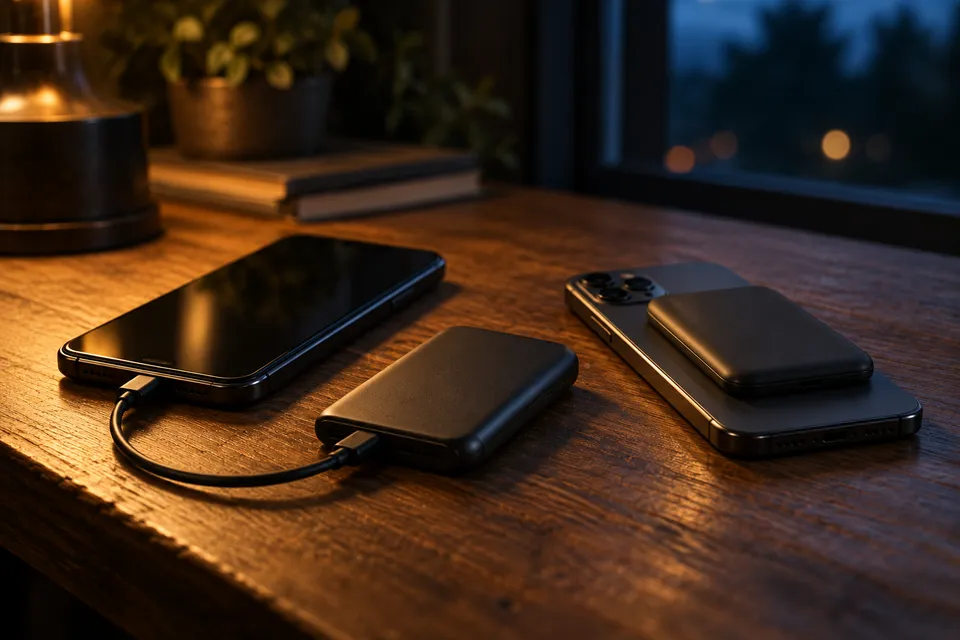
Match the charging path
| Check | USB-C wired | Magnetic wireless |
|---|---|---|
| What the label means | USB-C is a connector. USB Power Delivery is a separate capability that a product maker may support. | Qi2 identifies the Wireless Power Consortium’s Magnetic Power Profile. Qi v2.0 also has a non-magnetic profile. |
| What to compare | Match the device’s input profile to one USB-C port. A combined multi-port figure is a separate rating. | Compare the bank’s wireless output with the phone’s supported standard and rate. |
| Compatibility check | Check the bank’s port profile, device input and cable rating together. | Check the exact phone and accessory list; use the WPC directory to confirm certification when relevant. |
| Physical setup | Confirm whether a cable is included or add one that supports the mode. | Magnetic alignment can simplify placement. Check case fit and keep cards or key fobs out of the charging space. |
Sources: USB-IF Type-C language guide · USB-IF Power Delivery overview · WPC Qi2 profile description · WPC certified-product database · Apple MagSafe instructions · Anker product page · checked October 7, 2026
Why charging can be slower
A USB-C port does not guarantee a particular charging rate. USB Power Delivery negotiates a supported level, and USB-C products may omit USB PD. Compare the exact bank port, device input and cable.
Sources: USB-IF Power Delivery overview · USB-IF Type-C language guide · checked October 7, 2026
For example, Anker lists separate wired USB-C and Qi2 modes for the Nano 5K MagGo Slim. Its FAQ names compatible phone families and says the model is for smartphones, not high-power laptops.
Sources: Anker product page · Anker model FAQ · checked October 7, 2026
Magnetic attachment alone does not confirm that both devices use the Qi2 Magnetic Power Profile. Check the phone, bank and case, and use the WPC directory to confirm certification when relevant.
Sources: WPC Qi2 profile description · WPC certified-product database · checked October 7, 2026
Heat and fit matter
Apple says MagSafe and an iPhone may warm during wireless charging. If the battery gets too warm, iPhone may limit charging above 80 percent; in very hot or cold conditions, charging may slow or pause with wired or wireless connections. If the phone warms, stop heavy use, move it out of direct sun and remove a case if it traps heat.
Sources: Apple MagSafe instructions · Apple temperature guidance · checked October 7, 2026
Wireless makes sense when a compatible phone can sit aligned against the bank and you value cable-free attachment. Wired is the straightforward starting point for a laptop, a device without supported Qi charging, or when you want to compare an explicit USB-C profile. Neither method guarantees a fixed charging time: the device’s battery level, software, temperature and negotiated mode still matter.
Choose a method
- Name the device and read its charging inputs in the manufacturer’s documentation.
- For cable charging, match its supported protocol and profile to the power bank’s single USB-C port and cable.
- For wireless, confirm Qi compatibility, Qi2 profile if relevant, case fit and the manufacturer’s exact device list.
- Compare the bank’s per-port output with the device’s input. Keep combined output as a separate multi-device figure.
- Check how charging behaves in warmth, and keep the charging area clear of cards or other objects Apple says not to place between the phone and charger.
Sources: USB-IF Type-C language guide · WPC Qi2 profile description · Apple MagSafe instructions · checked October 7, 2026
Use the wired USB-C output ranking to compare published single-port limits, then check fit and shared-output rules on the model page in the power-bank catalog.
Frequently asked questions
- Does a USB-C port guarantee fast charging?
- No. USB-C describes a connector, not a charging rate. Check the bank’s port output and protocol against the device’s input.
- Will a magnetic power bank wirelessly charge any phone it sticks to?
- No. Check the exact phone, bank and case for compatible wireless charging; a magnetic fit alone is not a protocol check.
- Is wired always faster or more efficient than wireless?
- No. Compare each method’s supported rate for your exact phone and bank. Heat can also change a phone’s charging behavior, so the interface alone does not determine speed.